Pay with
  • Credit card
  • PayPal
  • Litecoin
PXILOK for Windows PC · The internal era

EA FC 27 cheat.

Available nowThe internal era is here.

EA FC 27 PXILOK is our internal cheat for Windows PC. External was only the beginning. A new architecture. A whole new era. One month of access for €21.00.

EA FC 27 artwork for the PXILOK Windows PC product
EA FC 27 artwork 1 Month / €21.00
4,600+ Store orders delivered
6,300+ Store customers served
5.0 Store review average
24/7 Discord support
FC27 PXILOK / The next chapter

The shift
starts inside.

External was only the beginning. FC27 PXILOK makes the move to internal. New season. New architecture. Same unfair ambition.

Meet the new FC27
THE EVOLUTION OF PXILOK External Internal. NEW ARCHITECTURE. NEXT CHAPTER.
Available now Live catalog

EA FC 27 PXILOK

Camera controls, player and team sliders, match tools, Ultimate Team controls, attributes, difficulty and server selection. Eight menu sections, with one month of access, automatic delivery and Discord support.

Platform Windows
Support Discord
Delivery Automatic email
Access 1 Month
Price for 1 month €21.00

No refunds after key activation or use. Read the refund policy. Your statutory rights are unaffected.

Secure hosted checkout through SellAuth Delivery to your checkout email
FC27 PXILOK / The full menu

Every function.
In detail.

Explore all eight menu sections, see exactly what each control does and open the official screenshots at full size.

Released · Ready to use8 menu sections5 supported game modesAll functions available

Latest update: Ultimate Team & Ball Teleport

Explore the new Ultimate Team tab and the Ball Teleport controls in Match. General and Sliders now show the latest screenshots.

Having injection problems? Download the loader again using your order delivery or the link provided by support. According to pX, the updated loader should fix some injection problems. See the PXILOK setup guide if you still need help.

01GeneralREADY

Camera control

Adjust camera position, movement and focus, then fine-tune the view with individual controls.

Height & position
Set camera height and move the camera along the X, Y and Z axes.
Focus X / Y / Z
Adjust the camera's focus point independently on all three axes.
Zoom, FOV & dolly distance
Change the field of view and the distance between the camera and its focus.
Yaw, pitch & individual resets
Fine-tune camera angles. Reset a single control or disable the camera override to restore the native view.
FC27 PXILOK General menu showing camera height, position, focus, zoom and angle controls01 / General View full size ↗
02SlidersREADY

Player & team settings

Select players from either team and adjust their gameplay sliders from one panel.

Player & team selection
Refresh the player list, choose Team 0 or Team 1, then apply changes to selected players or the whole team.
Gameplay sliders
Adjust player speed, shooting, passing, injuries, goalkeeping, ball control and defending.
Team & CPU sliders
Access shared team settings and CPU sliders alongside the individual player controls.
5 configs & auto-apply
Save and load five configurations, set an auto-apply interval or restore changed values.
FC27 PXILOK Sliders menu showing player selection, team settings, CPU sliders and saved configs02 / Sliders View full size ↗
03MatchREADY

Match actions & time

Access match actions, protection toggles and clock controls from the Match tab.

Match actions
Menu actions include Crash Opponent, Fantom Match, Freeze Opponent and Disconnect.
Crash & freeze protection
Enable or disable the separate Crash and Freeze protection toggles.
Match time & freeze
Set match minutes or freeze the clock.
Ball Teleport
Use TP Right Goal or TP Left Goal to teleport the ball to the selected goal.
Pause, restart & halftime
Use Force Pause, Restart Match or Halftime Finish from the same panel.
FC27 PXILOK Match menu showing match actions, crash and freeze protection, time settings and Ball Teleport03 / Match View full size ↗
04Ultimate TeamNEW

Rivals & Draft controls

The new Ultimate Team tab brings Rivals settings, pack-opening controls and Draft stage selection into one panel.

Rivals Division
Choose a division from the selector and toggle the Rivals Division control.
Coop Rivals & Bypass Desync
Separate Coop Rivals and Bypass Desync toggles are available in the Rivals panel.
Skip Pack Opening
Toggle the Skip Pack Opening option from the same panel.
Draft Stage
Choose a Draft stage from the selector and enable the Draft Stage control independently.
FC27 PXILOK Ultimate Team menu showing Rivals Division, Coop Rivals, Bypass Desync, Skip Pack Opening and Draft Stage04 / Ultimate Team View full size ↗
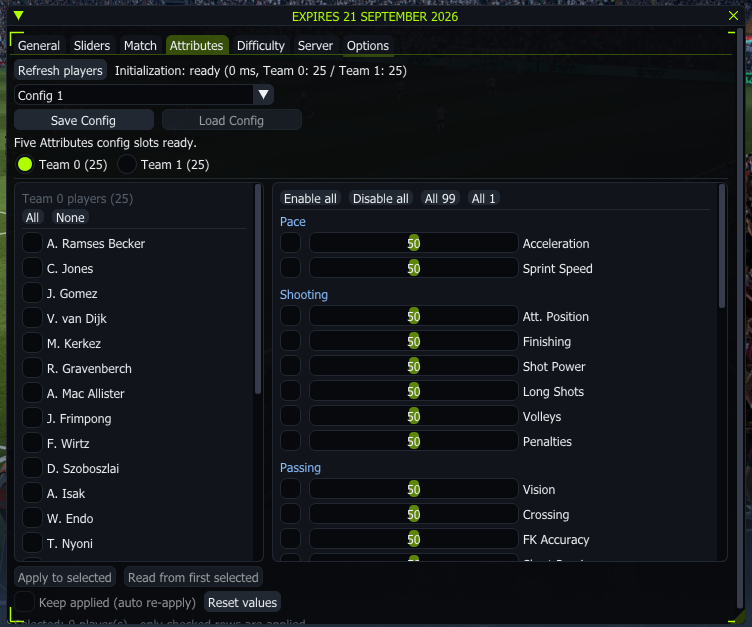
05AttributesREADY

Player attribute editor

Select individual players or a whole team and edit their attributes.

Pace, shooting & passing
Edit values including acceleration, sprint speed, finishing, shot power, vision, crossing and free-kick accuracy.
All 99 / All 1
Use the All 99 or All 1 presets, or enable and disable individual attribute values.
Player & team selection
Choose players from Team 0 or Team 1, select the whole team and read values from the first selected player.
Saved configs & keep applied
Save and load five attribute configurations, automatically re-apply changes or reset values.
FC27 PXILOK Attributes menu showing team selection, All 99 and All 1 presets, and individual attribute values05 / Attributes View full size ↗
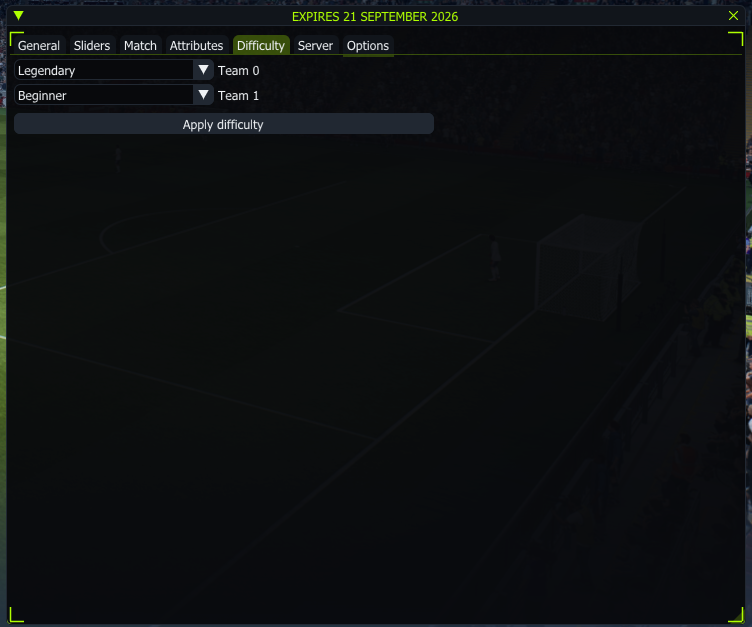
06DifficultyREADY

Independent team difficulty

Choose a separate difficulty for each side from a single panel.

Team 0 difficulty
Select the difficulty for the first team using its own selector.
Team 1 difficulty
Set the second team's difficulty independently of Team 0.
Apply difficulty
Apply both selected difficulty settings with one button.
FC27 PXILOK Difficulty menu showing separate Team 0 and Team 1 difficulty selectors06 / Difficulty View full size ↗
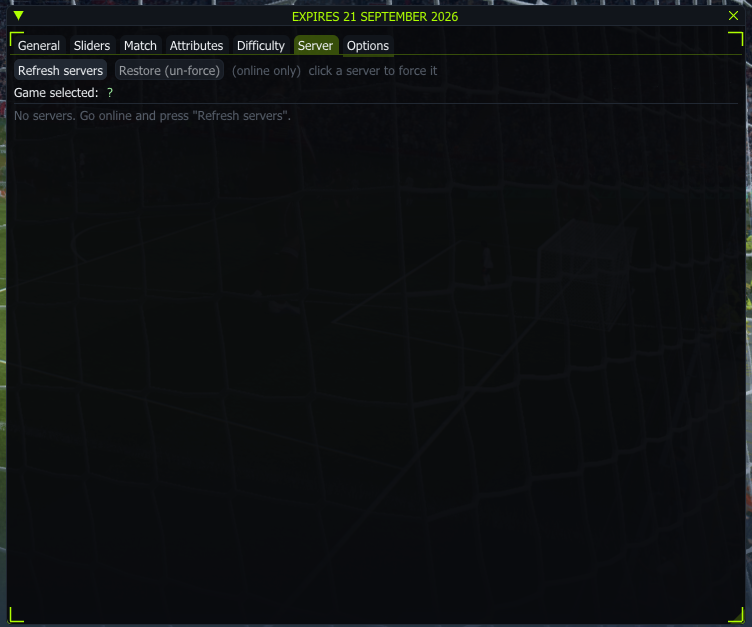
07ServerREADY

Online server selection

View and select available servers while online.

Refresh servers
Refresh the list of available servers while connected online.
Force a server
Select an available server to force that selection.
Game-selected server & restore
View the server selected by the game. Use Restore (un-force) to remove your forced selection.
FC27 PXILOK Server menu showing refresh, restore and game-selected server controls07 / Server View full size ↗
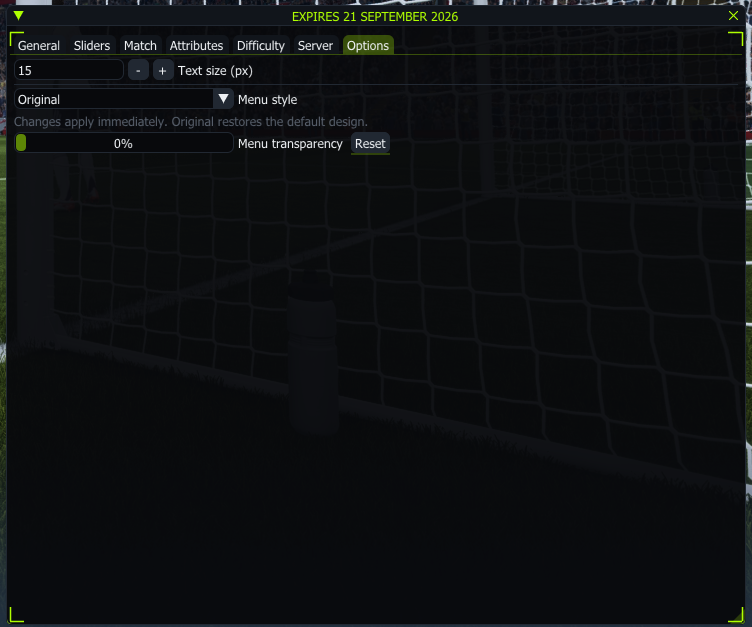
08OptionsREADY

Interface customization

Adjust the menu's appearance with settings that apply immediately.

Text size
Change the menu text size in pixels with the size field and adjustment buttons.
Menu style
Choose a menu style or select Original to restore the default design.
Transparency
Adjust menu transparency and use Reset to restore its default value.
FC27 PXILOK Options menu showing text size, menu style and transparency controls08 / Options View full size ↗

Supported game modes

FC27 PXILOK is available across the following five game modes.

  • Ultimate Team Ready

    Rivals · Champions · Rush · Draft · Tournaments · Live Events · Seasonal · Squad Battles

  • The Grounds Ready

    League · Playoffs · Live Events · Rush · Drop-In

  • Seasons Ready

  • Co-op Seasons Ready

  • Online Friendlies Ready

EA FC 27 walkthrough

Video coming soon.

The EA FC 27 video is not available yet. It will appear here once it is ready.

Aaron's YouTube channel
What you get

Your game. Your month.

One month of access, automatic delivery and a place to ask questions if anything is unclear.

01

Automatic delivery

Payment clears and the product lands in your checkout inbox on its own. Crypto orders send once the transaction confirms.

02

Secure checkout

Pay through SellAuth's hosted checkout using the payment methods available for your order. Your payment details never touch this site.

03

Support on Discord

Start with the PXILOK setup guide, or open a ticket in AaronS Store for setup help, delivery questions or anything that does not behave.

04

One month of access

The €21.00 option includes one month of EA FC 27 PXILOK access. Your selected duration is shown again at checkout.

Verified store buyers

Rated 5.0 by store buyers.

Historical feedback from customers across the Aaron Cheats store and different products. They are not FC27 PXILOK-specific ratings.

16 store reviews 4,600+ orders delivered 6,300+ customers
How it works

Checkout to inbox in minutes.

Three steps, no manual handover, no waiting on a reply.

01

Hit buy.

The Buy 1 month button opens the hosted SellAuth checkout.

02

Pay securely.

Complete payment with the methods shown in the checkout window.

03

Open your inbox.

Your purchase arrives automatically at the email used during checkout.

EA FC 27 PXILOK FAQ

Know before you buy.

What is EA FC 27 PXILOK?

EA FC 27 PXILOK is internal software for EA Sports FC 27 on Windows PC. This listing includes one month of access, automatic email delivery after payment and support through AaronS Store on Discord.

What changes with the move from external to internal?

FC27 PXILOK moves from external to internal software, introducing a new architecture for the FC27 edition. The internal era starts with this product. Check the product details and Discord announcements for release information.

How much does FC27 PXILOK cost and how long does access last?

Choose the 1 Month option for one month of EA FC 27 PXILOK access. The current price is shown in the purchase section, and checkout confirms your selected duration and total before payment.

When can I buy FC27 PXILOK?

The planned FC27 PXILOK software launch is Friday, 18 September 2026. The availability notice on this page shows the current status. Ordering opens when stock is available.

Is this EA FC 27 software for Windows PC?

Yes. This product is the Windows PC edition of EA FC 27 PXILOK. It is not a PlayStation or Xbox product. Contact Discord support before buying if you need help confirming your setup.

Can I still buy the EA FC 26 lifetime version?

Yes. EA FC 26 remains a separate product with lifetime access. Choose EA FC 27 for monthly FC27 access, or visit the EA FC 26 lifetime product page for the previous game.

How do I buy and receive FC27 PXILOK?

When stock is available, select Buy 1 month and complete the SellAuth checkout. Available payment methods appear there. Delivery is automatic to your checkout email after payment confirmation. Crypto payments must confirm on-chain first.

Where can I get setup help for FC27?

Open a ticket in AaronS Store on Discord for installation, access or delivery questions. Have your order details ready so support can find your purchase.

Is there an FC27 PXILOK video?

The FC27 walkthrough is not available yet. It will be added to this page when it is ready. The menu screenshots above let you preview all eight sections.

Gointernal.

Join the Discord 1 Month / €21.00
EA FC 27 €21.00 / month
Menu screenshot
FC27 PXILOK menu screenshot
Original ↗